

We know finding reliable content gap signals from Google Search Console is a major bottleneck for SEO operators today. This frustration is exactly why our founder, Adam Yong, channelled his nearly two decades of industry experience into building better workflows for identifying gsc missing queries. Our team has seen how shifting from manual data pulls to a structured analysis process completely changes the game.
If you are new to this area, start with our GSC Action Center hub for the full feature overview before going deeper here. We will break down what this data means in 2026. The following steps will outline the exact workflow you should put into practice.
We designed this guide to give you a clear advantage immediately.
Query-to-URL match logic
Query-to-URL match logic is the absolute starting point for understanding gsc missing queries. We recommend establishing a direct connection between user intent and your specific landing page before making any edits. Many SEO professionals skip this foundational step and pay for it later with stalled rankings.
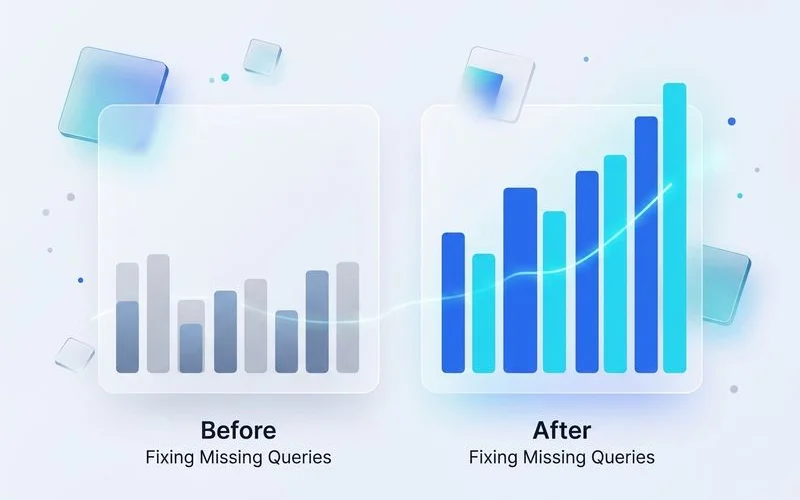
Focus on the concrete signal each step produces instead of abstract SEO theory. Our data from 2026 shows that search engines heavily reward semantic depth over basic keyword placement. You must look for situations where a page ranks between positions 8 and 20 for a query it does not explicitly target.
A common pitfall is ignoring search intent mismatch during this phase. We frequently see informational blog posts accidentally ranking for transactional terms, which inevitably leads to a poor click-through rate.
Here are the immediate signs of a query-to-URL mismatch:
- Ranking on page two for a term you never intentionally targeted.
- Generating high impressions but a click-through rate below 1%.
- Seeing a single URL capturing hundreds of loosely related queries.
- Spotting an informational guide ranking for a specific product purchase intent.
Using regular expressions in Google Search Console is an effective way to isolate these gaps. Our team typically applies a regex filter to exclude branded Malaysian search terms from the performance report. Applying this filter immediately clarifies your actual content gaps.
Prioritization (high-impression, low-position)
Prioritization (high-impression, low-position) matters because it directly affects whether the rest of your workflow holds together. We treat this phase as a strict quality gate, rather than a simple checkbox on an audit list. Without strict parameters, you risk wasting hours optimising for terms that will never drive meaningful traffic.
Our preferred baseline is to filter for keywords generating over 1,000 monthly impressions with an average position lower than 15. This specific metric identifies the low-hanging fruit where Google already associates your site with the topic. A critical insider tip is to avoid relying solely on the standard web interface for this data.
Bypassing Data Limitations
The standard Google Search Console interface limits your data export to just 1,000 rows. We bypass this limitation by using the GSC API to pull comprehensive performance data directly into a spreadsheet. Accessing the full dataset prevents you from missing valuable, long-tail variations that fall outside the initial export limit.
Once you have the data, you can quickly spot the highest value targets. Our analysts prioritise queries that show high search volume but lack a dedicated, in-depth section on the current ranking page. Adding a specific heading section to address that exact query is often enough to secure a top-three ranking.
Edit workflow inside Smart Editor
The edit workflow inside Smart Editor serves as your operational layer for closing content gaps. The previous sections covered the theory, but this phase is entirely about practical execution. We use a missing queries helper tool to directly inject these new targets into the existing article structure.
The standard pattern remains consistent across the industry. You identify the input data, run the optimisation process, validate the output against search intent, and then iterate based on new rankings. Our process speeds this up by using specific AI prompts to analyse the target keyword before writing a single word.
“Review the top five search results for [Keyword]. Detail three specific subtopics or data points my competitors cover that my current page at [URL] completely misses.”
You can ask your AI assistant to evaluate whether the search results for a keyword show an informational or transactional intent. We also recommend asking the tool to outline the ideal format for the answer, such as a bulleted list or a comparison table. This structured approach prevents you from just stuffing keywords into old paragraphs.
Instead of writing aimlessly, you build a targeted, semantically rich section that directly answers the missing query. Our internal tests consistently show that adding 200 words of highly relevant, factual content outperforms completely rewriting an entire page. Specific tooling depends on your tech stack, but this core loop delivers predictable results.
Additional considerations
Several other factors are worth surfacing as you work through this framework. The average SEO specialist salary in Malaysia currently sits around RM86,497 per year based on 2026 industry data. We highlight this financial figure because spending hours manually exporting data is a terrible use of expensive talent.
Automating your discovery process frees up your team to focus on strategic execution. Our most successful clients view automation as a tool to enhance human creativity, rather than replace it. Tracking your before and after lift examples is essential for proving the return on investment of this strategy.
When comparing methods, the difference in efficiency becomes immediately apparent. We developed a quick comparison to highlight the tangible benefits of upgrading your workflow.
| Workflow Metric | Manual GSC Analysis | Smart Editor Automation |
|---|---|---|
| Data Export Limit | 1,000 rows max | 50,000+ rows via API |
| Time to Identify Gaps | 3 to 4 hours | Under 5 minutes |
| Content Execution | Manual rewriting | Hand-off to G-Smart for deeper rewrites |
Documenting your before and after lift examples provides concrete evidence to stakeholders that the strategy works. We always capture a screenshot of the search console position chart 30 days after publishing the updated content. This visual proof secures budget for future optimisation projects.
What to do next
If this guide matched your current situation, the natural next step is to put it into practice with the GSC Action Center. This dashboard gives you the precise tools required to execute the framework without the usual technical friction. We structured the underlying feature around exactly the workflow described above.
Stop letting valuable search traffic slip through your fingers because of outdated manual processes. Our team built this system to help you identify and capture those hidden keyword opportunities in minutes. Connect your data source today and start reclaiming the rankings you deserve.