
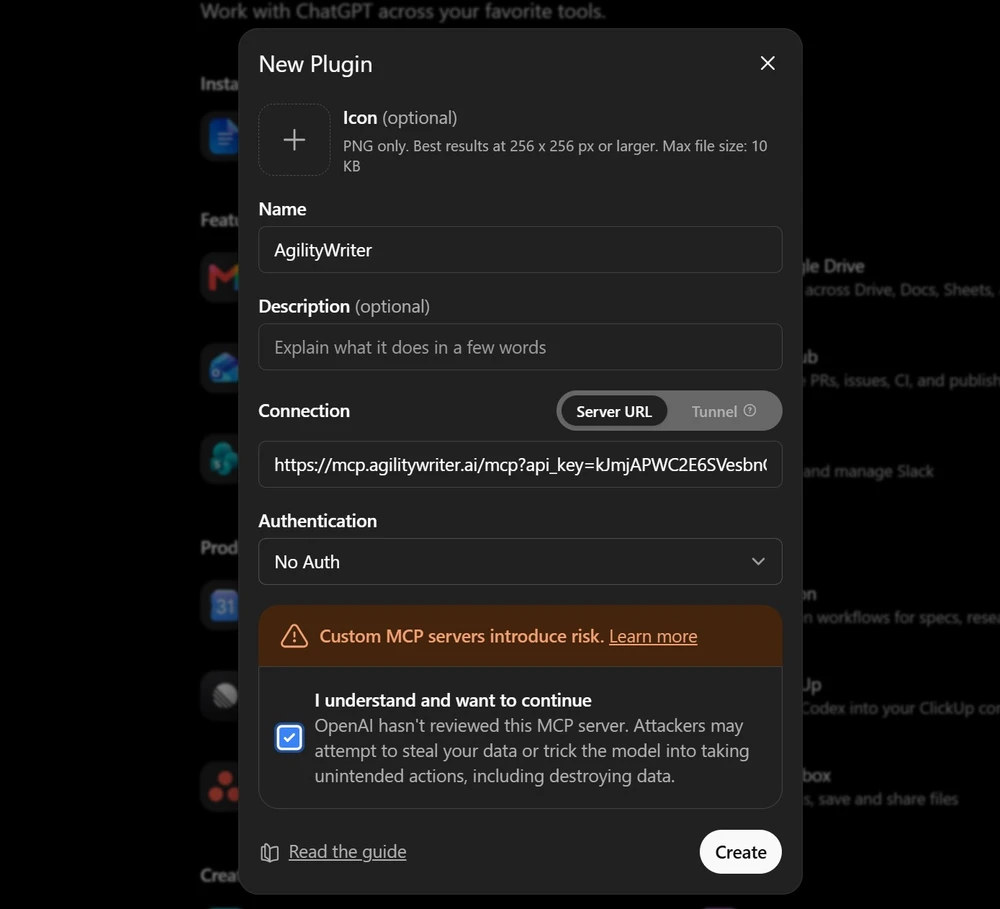
Add the connector
One address and your API key. Claude, Claude Code, VS Code, Cursor, ChatGPT and any other MCP client are all supported, with three authentication styles so you can use whichever your client accepts.
Connect AgilityWriter to Claude, ChatGPT, Cursor and other AI assistants, then research and write SEO articles by chatting. Your assistant directs the pipeline, no dashboard needed.
Ask ChatGPT or Claude for an article and you get one writing pass from the model's general knowledge. It reads well, but it is not connected to the search results page you are trying to win.
No live research and no look at what already ranks for your keyword
No sources you can point to, so there is nothing to fact-check or show a client
Chat text, not a publishable article with meta, schema, images and social copy
AgilityWriter captures the AI Overview for your keyword along with the sources it cites, then writes against it. No consumer assistant can see the AI Overview at all.
The top organic results are fetched and read, not summarised from search snippets. Your article starts from what is winning today.
A typical article is the product of research, outlining, per-section writing and cleanup. That is not something one chat prompt can replicate.
Entities and subtopics are ranked by how many ranking pages actually use them, not by model opinion. Your article competes on completeness instead of guesswork.
Facts used earlier in the article are stripped from later sections. Self-repetition is the classic failure of one-shot AI articles, and it is handled structurally.
Meta title and description, FAQ schema, key takeaways, optional AI images with alt text, citations and ready-to-post social copy, saved to your library.
One address and your API key. Claude, Claude Code, VS Code, Cursor, ChatGPT and any other MCP client are all supported, with three authentication styles so you can use whichever your client accepts.
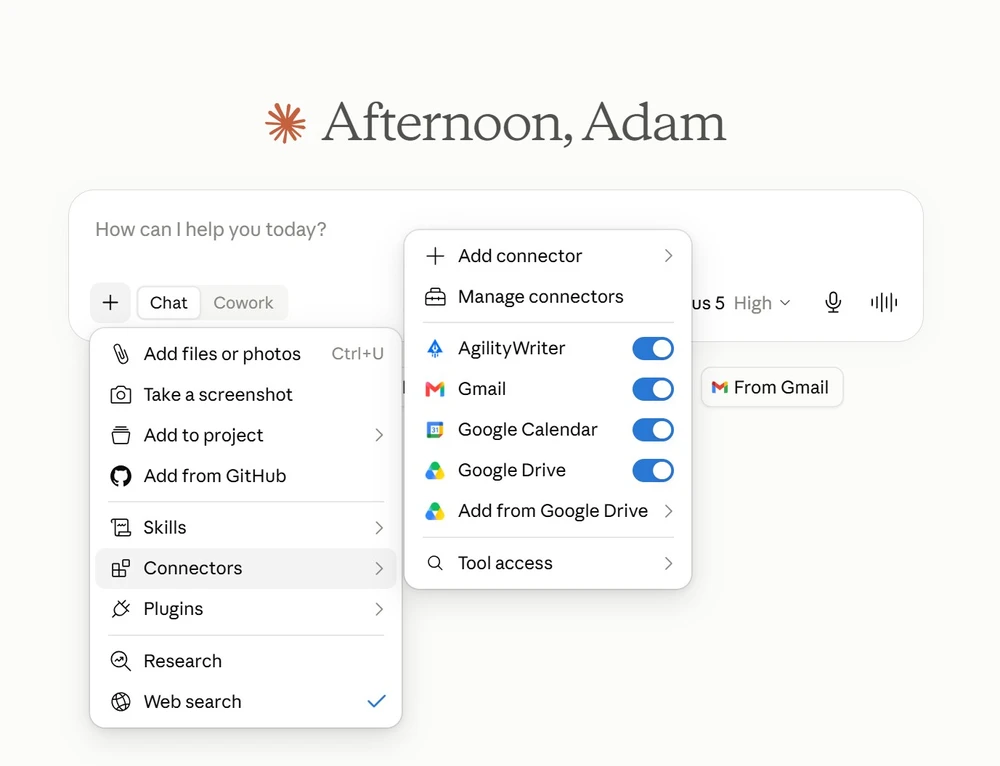
Enable AgilityWriter in your assistant's tools menu. Sixteen tools appear: writing, polishing, outlines, your article library, project settings, your connected WordPress sites and your balances.
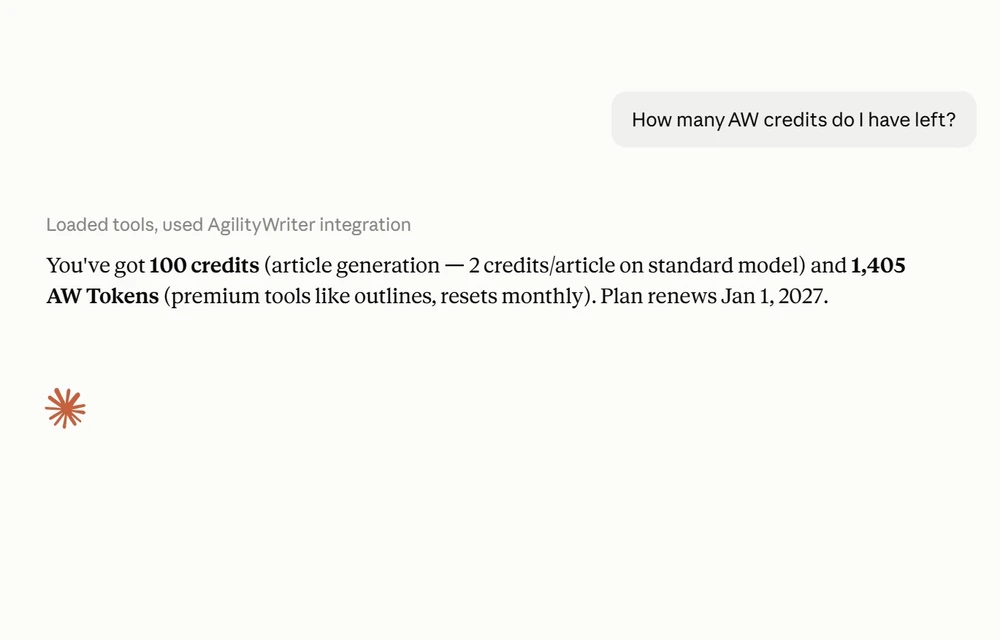
Ask how many credits you have. Reading your account, checking status and browsing your library are all free, so you can confirm the connection before spending anything.
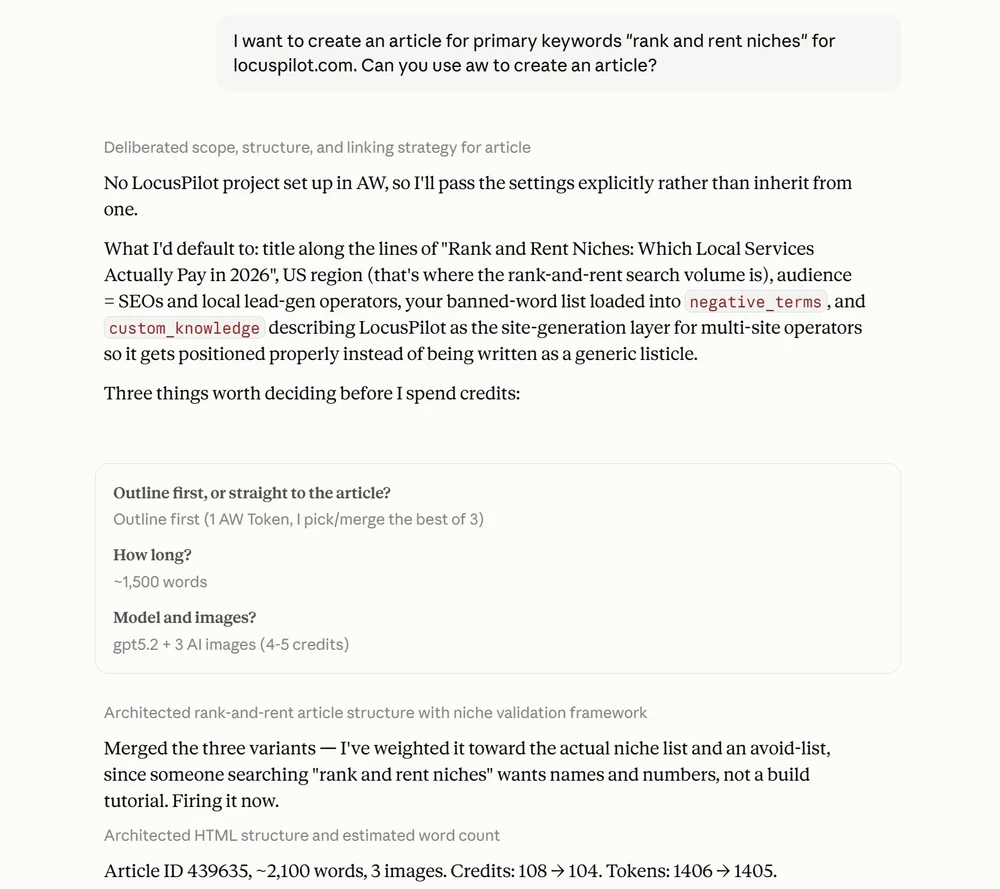
Name a project and its saved settings apply automatically: language, region, tone, audience, business background, negative keywords and internal links. Anything you say in chat overrides them.
Because your AI assistant writes from memory, and Google ranks evidence.
This is the honest version of the question, so here is the honest answer. You can already sit in Claude or ChatGPT and say “write me a 2,000-word SEO article about X” and get something publishable-looking in thirty seconds. What you get is one writing pass from the model’s general knowledge: no live research, no look at what already ranks for your keyword, and no sources you can point to.
Ask the same assistant to “write it with AgilityWriter” and the article is built the way an SEO team would build it.
It runs the real search first. AgilityWriter runs the Google search for your keyword, captures Google’s AI Overview along with the sources it cites, and reads the top-ranking pages in full. Not snippets: the actual pages, fetched and parsed. A consumer assistant cannot see the AI Overview at all, and its web search returns summaries rather than the pages themselves.
Coverage is decided by your competitors, not by the model. Entities and subtopics are extracted from the pages that already rank, then ranked by how many of them use each one. A model asked what to cover will tell you what it associates with the topic. This tells you what the pages beating you actually cover.
It is written section by section, against the research. Each heading is written from the evidence gathered for that heading, facts already used earlier are stripped so sections do not repeat each other, and citations are added from the sources it fetched. Target length and heading count are benchmarked against what the ranking pages actually run to.
It is over a hundred model calls, not one. A typical article is the product of 60 to 150 calls: research, outlining, per-section writing and cleanup. That is the part that is genuinely hard to reproduce in a chat window, and it is the part you never see.
You get the deliverables with it. Meta title and description, FAQ section and schema, key takeaways, optional AI images, and ready-to-post social copy, saved to your AgilityWriter library like any article you create in the dashboard.
And you get receipts. Ask “show me the research behind this article” and you get the competitor pages it read, the keywords it targeted, and the facts it gathered. A chat-written article cannot show its work.
Some of it, yes, and it is worth saying so plainly rather than pretending otherwise. A capable developer could buy a SERP subscription, write something that scrapes competitors, loop per heading and prompt carefully. The people most likely to ask this question are exactly the people already living in Claude Code, and they would be right.
What that argument does not survive is the second year. Search providers change their response format. Models get deprecated. Scraping breaks on the sites that matter most. The prompts that worked in March stop working in September. Running this is a standing job, and the reason to pay 2 credits an article is that it is someone else’s standing job.
This is not a replacement for the assistant you already use. It is the opposite.
Your assistant already knows your business, your brand voice and the research you did together this morning. What it cannot do is SERP-grounded, multi-pass SEO production. So let it direct ours: it can research with its own tools first and feed those findings into specific headings, apply your project’s saved settings, watch the generation, and hand you the finished piece, all in one conversation.
It is also the easiest way to use the settings that actually move the needle. The options that improve an article the most are the ones people skip, because they are fiddly to set up by hand. In chat you describe the result you want and your assistant fills in the settings behind it. A fully tuned article stops being a form-filling exercise and becomes a sentence.
A quick paragraph, a social caption, a rough draft, or anything that does not need to rank. AgilityWriter costs credits and takes a few minutes because it does real research. Use it when the article is meant to compete in search.
Ready to connect? The MCP connector setup guide covers every client, what each action costs, and what to do when something goes wrong.
16 tools covering writing, polishing, outlines, research and your library
Works on every paid plan, including Basic
Articles, service pages, URL and YouTube rewrites, and outlines
Polish works on any pasted content, not just AgilityWriter articles
Your project's saved settings apply from a single sentence
Power-Up: your assistant's own research injected into individual headings
Three authentication styles: Bearer header, X-Api-Key header, or URL
Articles appear in your AgilityWriter dashboard like any other
Go from idea to publish-ready draft with proven defaults. Pick a type, add a topic, review the outline, and generate, with no parameter tweaking.
Reusable, research-backed profiles for brands, products, and services. Build them once and attach them so every article stays accurate and consistent.
Build semantic topic clusters, spot entity gaps, and plan internal links, then publish the right pages first.

Start your $1 trial. 5 credits, full access to MCP Connector and every other Agility Writer feature.