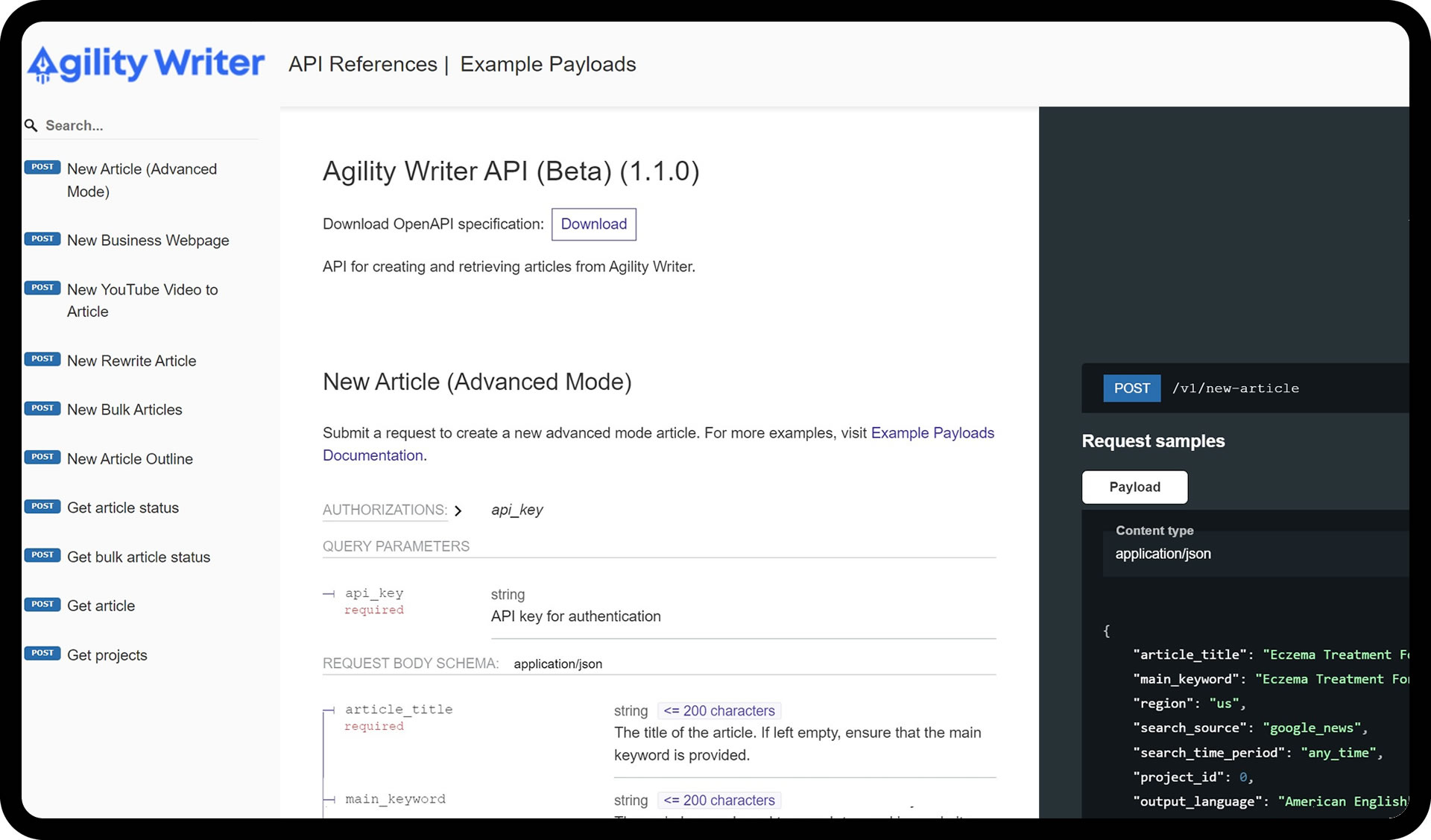
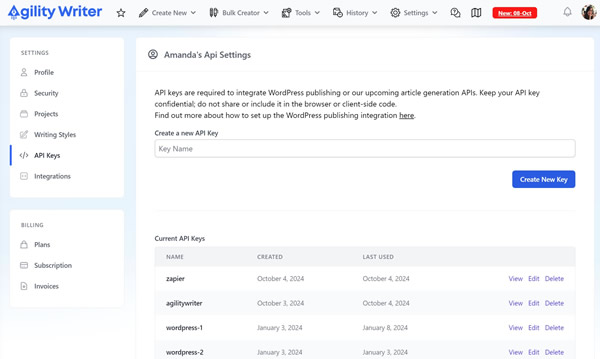



The API is the integration for teams who want Agility Writer inside their own software: a SaaS product that ships content features, an internal tool that fills a review queue, or a pipeline that turns a keyword database into published pages.
API, Zapier, or the WordPress plugin?
Three integrations cover three different jobs:
- API — custom pipelines, complex routing, and internal tools. Requires developer resources, returns full control.
- Zapier — no-code automation across SaaS tools. Fastest to set up, best for connecting off-the-shelf apps.
- WordPress plugin — direct publishing to one or many WordPress sites, with scheduling and SEO meta handled.
Most teams don’t need the API. Zapier and the plugin cover the common workflows. The API earns its place when content generation is part of a larger product workflow, or when volume and routing outgrow what a no-code tool can express.
What teams build with it
- Startup products — applications with AI writing built in, without training or hosting a model.
- Digital marketing platforms — automated content generation as a client-facing service.
- Educational technology — personalized learning content, study guides, and summaries on demand.
- Content automation tools — software that automates blog posting, social updates, and more.
What you can generate through it
The API exposes the same generation engine as the app, not a cut-down version:
- Long-form articles in the modes you’d use manually, with your project settings (writing style, readability level, target word count) applied.
- Deep Polish workflows for refreshing and upgrading existing content, using current GPT, Gemini, and Claude models. Model identifiers and parameters are in the API documentation.
- Optimization-aware output: generation runs against live SERP research the same way in-app generation does, so automated articles aren’t second-class citizens.
Generation costs come out of your plan’s credits, the same pool the app uses, so automating doesn’t change the unit economics of an article.
A typical pipeline
- Read keywords from your content calendar, database, or queue.
- Create a generation job through the API with your keyword, mode, and settings.
- Track the job status while generation runs.
- Fetch the completed article when the job finishes.
- Pass it to the next step: review queue, publishing, or indexing.
Generation is asynchronous, so your system stays free while articles are written. Full endpoint reference and code samples live in the developer documentation in your account dashboard.