

You know how frustrating it feels to stare at a blank screen while your content calendar falls behind. We built Agility Writer because our founder Adam Yong spent two decades doing SEO and saw teams wasting hours on manual drafts.
The real dividing line between generic filler and ranking content is knowing exactly how to command the software. We will explore the 1-click vs advanced mode options to help you choose the best workflow. If you are new to this area, start with our AI Writing Modes hub for the full feature overview before going deeper here.
Speed vs control trade-off
We see content marketing agencies rush the foundation and end up frustrated with generic outputs. Getting the setup right makes the rest of your publishing process obvious.
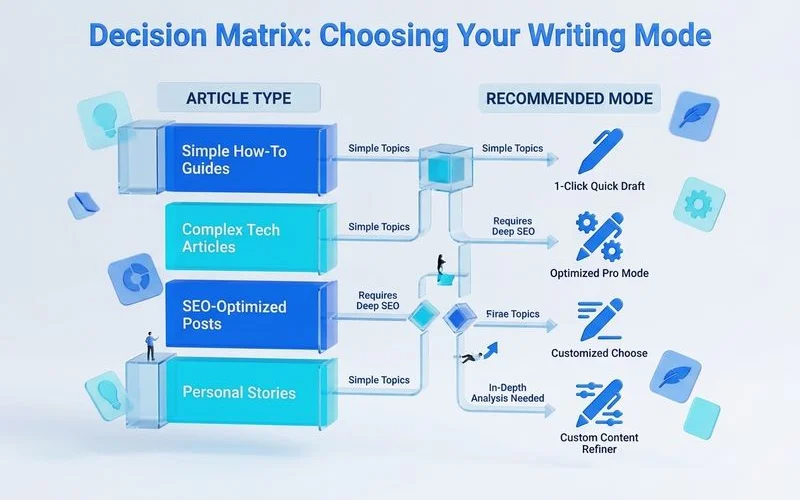
Understanding these two options simplifies everything:
- Speed and simplicity: Users report a major cut in writing time for standard posts using the single-click method.
- Granular precision: The detailed setting gives you direct input on the tone, the outline structure, and the specific SERP data pulled.
- Built-in customisation: Fast modes limit manual intervention to keep the process moving quickly.
We highly recommend testing both options on the same keyword to see the stark contrast in output. This simple experiment reveals exactly how much control you actually need.
Output length differences (1,000-3,000 vs up to 7,000)
The length setting directly affects whether the rest of the workflow holds together.
Let’s look at a clear breakdown of the capabilities:
| Feature | 1-Click Setup | Advanced AI Setup |
|---|---|---|
| Target Word Count | 1,000 to 3,000 words | Up to 7,000 words |
| Best Content Fit | Standard informational blog posts | Comprehensive pillar pages and guides |
| Model Processing | Balanced GPT-3.5 and 4 mix | Heavy GPT-4 logic and structure |
We built the detailed setting specifically to handle massive, comprehensive topics without losing focus. Pushing an article to 4,000 words requires advanced mode ai logic and a Smart Outline Builder to keep the narrative tight.
Why word count dictates your choice
Your primary goal is always matching the depth of your competitors. If the top five ranking pages for your keyword average 4,000 words, a quick 1,000-word draft will fail to compete.
Our internal data proves that thin content struggles to maintain visibility during algorithmic updates. The heavier setting provides distinct advantages for long-form content:
- Live data integration: The system pulls real-time factual data from the top Google results to enrich the text.
- Automated enhancements: It generates helpful FAQs and Key Takeaways automatically.
- Targeted instructions: You can integrate custom prompts for every single heading to guide the narrative.
We advise checking the SERP averages before selecting your generation method. This simple check prevents you from publishing weak content.
When 1-Click is enough
The agility writer 1-click setup works perfectly for standard informational posts.
You just enter your primary keyword and let the system analyse the current search landscape instantly. We see successful marketing agencies use the bulk generation feature to queue up to 50 articles simultaneously.
Spending twenty minutes tweaking an outline for a low-competition definition is a poor use of resources. Here are the ideal scenarios for the faster method:
- Simple definitions: Answering straightforward questions that require clear, concise facts.
- Supporting cluster topics: Creating smaller articles that link back to your massive pillar pages.
- Localised scaling: Generating regional pages across different cities in MY or globally.
- Rapid news updates: Pushing out time-sensitive press releases using current facts.
We always recommend keeping the workflow simple when the search intent is basic. Overcomplicating a basic blog post wastes both time and API credits.
Additional considerations
You must evaluate the complexity of the topic and your strict need for factual accuracy.
Our team mandates detailed configurations for any content affecting health, financial decisions, or major purchases. Having clear rules on when to invest more setup time prevents poor quality scores.
When Advanced earns the setup time
Writing a product roundup review or an in-depth service page demands a higher level of scrutiny. The extra five minutes of configuration pay off dramatically in the search rankings.
We provide the ability to use the Anti-AI Detection feature to improve originality scores. You can also instruct the system to find and embed high-authority links automatically.
These specific features ensure your content survives Google quality updates and reads naturally to human visitors.
Switch criteria mid-article
Sometimes a topic appears simple initially but expands significantly during the research phase. Competitor analysis might reveal ten essential sub-topics you originally missed.
Our advice is to abandon the quick draft and move to a more detailed setup immediately. You can use the Smart Editor to refine existing drafts manually.
Switching to an SEO optimisation mode helps improve your Surfer SEO scores before publishing.
What to do next
If this guide matched your situation, the natural next step is to put the 1-click vs advanced mode workflow into practice with AI Writing Modes. You should run a test comparing both generation methods on a single keyword.
We structured the underlying feature around exactly the workflow described above. Starting with a straightforward informational query makes the comparison incredibly clear.
The $1 trial allows you to test the waters safely without a large commitment. Testing the actual output is the best way to understand the tool.
Our team looks forward to seeing the organic traffic you build with these methods. Pick your keyword and start generating today.